
SNC-WF-019 · Free Tier · Inventory Safety

Catch Zero and Negative Inventory Before Multi-Channel Overselling Occurs

SNC-WF-019 · Multi-Channel Out-of-Stock Zero-Quantity Safety Guard (Free Tier)

A free, local Python safety tool that protects your marketplace seller ratings. It scans your product catalog or warehouse feeds, identifies zero-stock and negative-quantity variants, applies configurable safety buffers, and flags unfulfillable items so you can pause listings before marketplace cancellation penalties strike.

PRODUCT SUMMARY AT A GLANCESNC-WF-019
Primary OutcomeAudits inventory across store listings and warehouse exports, isolating items reaching zero or negative quantities before marketplace orders land.
How It RunsSelf-Hosted Python 3.8+ (Runs on your own computer or server)
Setup ExpectationsFree to self-host on your own hardware. Free workflows never run on Sanocea infrastructure. Optional assisted setup: ₹500 one-time.
Verification StatusCode & Logic Tested: Tested on multi-variant product catalogues and zero-stock scenarios
The 3-Step Process in Simple English
1. Input

Store catalog export CSV or read-only store API credentials.

2. Transformation

Local Python script audits every variant stock level, applies safety buffer thresholds, and flags depleted listings.

3. Output

zero_stock_delist_manifest.csv and immediate terminal/Telegram warning.

Free to self-host. Want Sanocea to set it up? ₹500 one-time.

Setup scope covers installation on customer-controlled infrastructure, configuration of authorised integrations, functional testing and handover.

Hosting, third-party charges and ongoing support are excluded unless separately agreed. Free workflows must never run on Sanocea-hosted infrastructure.

Direct Download or Assisted Setup: Download the free toolkit below, or contact engineering on WhatsApp for ₹500 assisted setup on your machine.

What Goes Wrong in an Ordinary Working Day

Inventory synchronization lags between Shopify, Amazon, and warehouse management systems cause customers to purchase items that are already out of stock.

The Impact on Your Business & Customers

Cancelling orders due to out-of-stock inventory results in marketplace account penalties, negative reviews, and wasted customer acquisition costs.

What This Tool Does & What Changes for You

Audits your product listings or warehouse stock export, checks every variant available quantity, and isolates items at zero or below safety buffer thresholds.

What Changes in Practice:

Your dispatch team catches depleted inventory before marketplaces accept unfulfillable orders, protecting seller metrics.

Concrete Before & After Example (Actual Code Output)

Shows how negative stock and borderline stockout items are caught before new orders land.

INPUT: Multi-Variant Inventory FeedInput File
SKU-TSHIRT-RED-M: Stock = -2 (oversold on Amazon)
SKU-TSHIRT-RED-L: Stock = 0 (completely depleted)
SKU-TSHIRT-RED-S: Stock = 1 (critical buffer threshold)
OUTPUT: zero_stock_delist_manifest.csvnormalized_inventory.csv
sku,current_stock,severity,recommended_action
SKU-TSHIRT-RED-M,-2,CRITICAL_OVERSOLD,Immediate channel delisting & backorder check
SKU-TSHIRT-RED-L,0,DEPLETED,Zero-out store inventory
SKU-TSHIRT-RED-S,1,BUFFER_WARNING,Approaching stockout threshold

Immediate action list for warehouse and marketplace managers.

What Changed vs. What Remained Unchanged

✓ What Changed (Normalized):
  • Isolated negative stock items before additional orders accumulate
  • Identified zero-quantity listings needing immediate marketplace pause
  • Applied safety buffer to warn on single remaining units
ℹ What Remained Unchanged:
  • Healthy inventory items left untouched
  • Zero direct store listing modification without user action

What You Need Before Getting Started

  • Store read API credentials (WooCommerce/Shopify) or inventory CSV.
  • Telegram bot credentials for alert dispatch.
  • Python 3.8+ on your computer or server.

Technical Setup Guidance: Read-only access. Does not modify store products or customer accounts.

Setup Difficulty & Expected Time

Takes 5 minutes. Download the script, set your API keys, and run.

Step-by-Step Run Instructions (Zero-Code Terminal Run)

  1. Download and unzip snc-wf-019-stock-guard.zip.
  2. Place your inventory export in data/inventory.csv (or configure store read API).
  3. Run: python3 stock_guard.py --input data/inventory.csv --safety-buffer 1
  4. Open zero_stock_delist_manifest.csv to view depleted variants.
  5. Delist or zero-out flagged items on your marketplace channels.

What You Receive in the Download Archive

Every deliverable is clean, self-contained, and ready for immediate deployment. You receive the complete files, configuration templates, setup guides, and automated tests.

File NameDeliverable Description
stock_guard.pyStandalone Python 3.8+ zero-stock safety audit script
fixtures/sample_inventory.jsonSample inventory fixture with zero and negative stock variants
README.mdSetup guide and CLI execution documentation
SETUP.mdQuickstart instructions
COSTS.mdOperating cost disclosure (₹0 ongoing fees)
LICENSING.mdSanocea Open Workflow License (MIT Compatible)
tests/test_stock_guard.pyAutomated test suite verifying zero-stock classification

Architecture Diagram & Tested Capabilities

For technical teams or developers assisting your business, below is the visual execution architecture and automated verification breakdown:

Catch Zero and Negative Inventory Before Multi-Channel Overselling Occurs Architecture Pipeline Diagram
⚡Deterministic execution flow: runs on your own compute without telemetry tracking.

Verification Disclosure

Scans store catalogue via read-only APIs or CSV exports, isolates zero/negative stock items, and calculates safety buffer risks.

Zero & Negative Stock Detection

Immediately isolates items with 0 or negative quantities.

Fully Tested

Safety Buffer Thresholds

Customizable buffer levels to flag fast-depleting items before zero.

Fully Tested

Instant Telegram Push

Dispatches summary alerts directly to your operations channel.

Fully Tested

Documented Limitations & Third-Party Costs

We believe in complete transparency. Review the documented technical boundaries and external service fee breakdown below prior to obtaining the package:

⚠️Documented Boundaries & Considerations

  • Read-Only Guard: Discovers depleted and negative inventory; does not delist items on Amazon/Flipkart/Shopify automatically without an integration bridge.
ComponentEstimated CostDetails & Free Tier Allowances
Zero-Stock Safety Guard Tool₹0 (Free to self-host)Download full source code and run locally
Optional Assisted Setup₹500 one-timeAssisted installation, store API integration, and handover
Recurring Fees₹0 ForeverZero third-party API or subscription charges

Platform Compatibility & Technical Specifications

Operating System
Linux, macOS, Windows
Runtime / Python
Python 3.8+
Supported Platforms
Amazon, Flipkart, WooCommerce, Shopify
Required Inputs
  • Combined store inventory CSV feed or export files
Generated Outputs
  • Isolate zero and negative stock product list
  • Critical oversell risk warning report
  • SKU exclusion manifest ready for upload
Free Self-Hosted SoftwareInstant Download · Optional ₹500 Setup

Download or Set Up SNC-WF-019

Receive the complete distributable archive containing stock_guard.py, step-by-step setup guides, mock fixtures, and automated test suites.

Free to self-host. Want Sanocea to set it up? ₹500 one-time.

Setup scope covers installation on customer-controlled infrastructure, configuration of authorised integrations, functional testing and handover.

Hosting, third-party charges and ongoing support are excluded unless separately agreed. Free workflows must never run on Sanocea-hosted infrastructure.

Download Free Package (.zip)Chat on WhatsAppWe reply within 2 business days (Monday to Saturday, 9:00 AM to 9:00 PM IST)

Frequently Asked Questions

Why is zero-stock detection critical on marketplaces?

Selling an item with 0 stock on Amazon or Flipkart results in severe late dispatch or cancellation metrics and account health penalties.

Can it catch negative inventory numbers?

Yes. It specifically flags negative stock caused by simultaneous multi-channel order race conditions.

Is it safe to run on live stores?

Yes. It performs read-only checks without modifying any database records.

Multi-Channel Zero-Stock Detection: Catching Depleted Inventory Before Overselling Occurs

How channel synchronization delays allow customers to buy depleted items, why negative inventory corrupts ledgers, and how zero-stock guards audit catalogs.

Read Field Guide on Sanocea Insights →

Explore Related Self-Hosted Tools

SNC-WF-012Self-Hosted Python 3.8+

Get Alerted Before Fast-Selling Products Run Out of Stock

Low-Stock Inventory Alerter with State Deduplication (Free Tier)

A free, local Python tool that prevents unexpected stockouts on your bestsellers. It scans your inventory spreadsheet, detects items falling below safety reorder points, tracks alert history in a local SQLite database to prevent notification spam, and sends a clean Telegram briefing to your purchasing team.

E10Managed Service

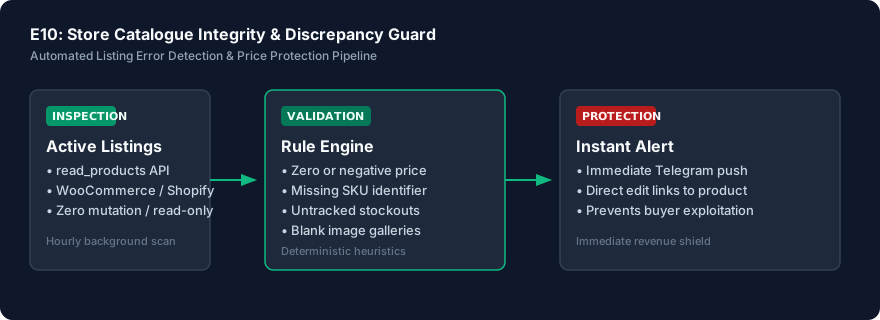
Prevent Revenue Leaks from Broken Pricing & Catalog Errors

Store Catalogue Integrity & Discrepancy Guard

An enterprise-grade continuous catalog monitor that audits your complete online inventory 24/7 on Sanocea VPS infrastructure. It catches accidental zero prices, inverted compare-at discounts, missing barcodes, and broken image URLs within minutes of publication, notifying your operations team via Telegram before shoppers exploit errors.

SNC-WF-011Python 3.10+

Reconcile Google Sheets Stock with WooCommerce Before Syncing

CSV‑only Inventory Reconciliation Preview

A local-first Python tool that prevents inventory overselling and pricing mistakes. It compares your warehouse Google Sheet against your live WooCommerce product export, generating an exact delta preview of which quantities and prices differ—allowing you to audit updates before importing them into your store.